


Returning an order and getting your money back
What to do when an item does not match, which method the refund goes back to, and what the timing depends on. A step-by-step guide for buyers.

The scariest thought in online shopping is “if the item does not match, my money is gone”. In fact the process is clear and written down in advance. Below is how returns work and what to pay attention to.
First: who is responsible#
It matters to answer this precisely, because everything else depends on it.
Dona is an intermediary platform. The goods themselves, their description, quality and packing are the seller’s responsibility. The purchase contract is between the buyer and the seller.
So an issue with the goods is settled with the seller first. The platform provides the order flow, the payment and a way to raise a complaint.
Which method the money goes back to#
This is where most confusion comes from, so here is the short rule: the money goes back to the method it was paid with.
- Paid through Click — back to Click
- Paid by card — back to that card
- Paid from the in-app wallet — back to the wallet
Requests to refund to a different card or in cash are not accepted. The restriction is not there to be awkward: it has to stay possible to trace where the money came from and where it went.

How long it takes#
The honest answer: an exact number of days cannot be given, and we do not give one.
The timing depends on the payment method and the provider. Once the platform has approved the return, the money is processed by the bank or the payment system, and that part is already outside the platform. That is why nobody can promise “it will be back in 3 days”.
The exact procedure is set out in the Payments and Refunds Policy, which is openly available on the site.
What to do: the steps#
- Check the order status. The app shows it: preparing, handed to the courier, on the way, delivered. An order that has not yet gone to a courier is easier to cancel.
- Contact the seller. Describe the problem precisely: which item, and what did not match. Not “I did not like it”, but the specific difference.
- Keep evidence. Take photos while you open the parcel. If a different item arrived, this is the strongest evidence you can have.
- If it is not resolved, contact the platform. The order is recorded in the system, so there is somewhere to turn.
Cancelling and returning are not the same#
The two are often confused, although the procedures differ.
Cancelling happens while the order has not reached you yet. The goods are with the seller or on the way. This is the simpler case: the item has not been in your hands, so there is no dispute about its condition.
Returning happens after you have received the item. Here the condition, the packaging and the completeness of the item matter, because it has to go back.
So if you want to give up an order, check the status in the app as soon as you can. Acting at the “preparing” stage is much easier than at “delivered”.
This is exactly what notifications are for: the app tells you every time the stage changes, so you know where you stand.
A live stream lowers the chance of a return#
The most common reason for a return is simple: the item looked different in the photo. The photo was taken in good light, the colour came out differently, the size was not what you imagined.
In a live stream this problem is much rarer. You see the product in motion and ask the seller exactly what you want to know: the size, the colour, what is in the box. The answer comes straight away.
In other words, a stream is a way to prevent returns. Do not hesitate to ask questions: that is the whole point of a stream.
Frequently asked questions#
Can I return an item without opening it?
Is the delivery fee refunded?
What if the seller does not respond?
Read nextShopping safely: Dona, the seller and the buyerOrder status: the four stages
Shop the orderly way: download the Dona app.
How Dona works
See all (10)
What kivi are, how to collect them and how to spend them
Kivi is a discount inside Dona. You collect it by playing games during a live stream and spend it against part of the price at checkout.
Reviews and ratings: how to write one and why it matters
On Dona a review sits on the product page and helps other people choose. How to write a useful one, and what a review prize actually is.
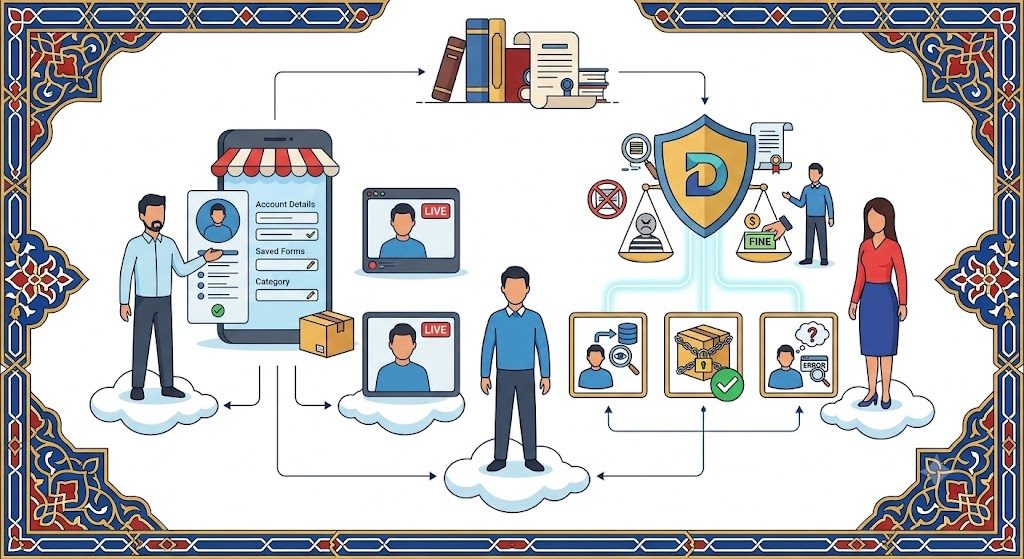
Shopping safely: the roles of Dona, the seller and the buyer
Who to turn to when something goes wrong, who is responsible for the quality of goods, and how the platform makes a purchase safer.


